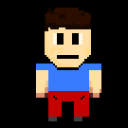
I want to do Simple Platform Physics
in my game Lost in School i want to program simple physics WITHOUT writing my code with quickengine, i dont know how to really do, but maybe some of you can check out my project and say how to easily get physics
heres my profile
https://microstudio.io/Keksmiau/
Here is a example:
init = function()
  // 1. Define the Player Object
  player = object
    x = 0
    y = 0
    width = 10
    height = 20
    vx = 0      // Velocity X (Horizontal speed)
    vy = 0      // Velocity Y (Vertical speed)
    speed = 1   // How fast we accelerate
    jump_force = 4
    grounded = false
  end

  // 2. Physics Constants
  gravity = 0.2
  friction = 0.9  // A number between 0 and 1 (closer to 1 = slippery)
  floor_y = -80   // The level of the ground
end

update = function()
  // === INPUT ===
  if keyboard.LEFT then player.vx = player.vx - player.speed end
  if keyboard.RIGHT then player.vx = player.vx + player.speed end

  // Jump only if we are on the ground
  if keyboard.UP and player.grounded then
    player.vy = player.jump_force
    player.grounded = false
  end

  // === PHYSICS ===

  // Apply Friction (slows player down horizontally)
  player.vx = player.vx * friction

  // Apply Gravity (pulls player down)
  player.vy = player.vy - gravity

  // Update Position based on Velocity
  player.x = player.x + player.vx
  player.y = player.y + player.vy

  // === COLLISION (Floor) ===

  // Check if player is below the floor
  if player.y < floor_y then
    player.y = floor_y       // Snap to top of floor
    player.vy = 0            // Stop falling
    player.grounded = true   // Allow jumping again
  else
    player.grounded = false
  end
end

draw = function()
  screen.clear()

  // Draw the Floor
  screen.setColor("rgb(100,100,100)")
  screen.fillRect(0, floor_y - 50, 400, 100) // Draw a big box for floor

  // Draw the Player
  screen.setColor("rgb(255, 50, 50)")
  screen.fillRect(player.x, player.y + (player.height/2), player.width, player.height)
end